Actions
Bug #4281
closed
AK
SD
Expiry Date is partially hidden after selection
Bug #4281:
Expiry Date is partially hidden after selection
Start date:
Due date:
% Done:
0%
Estimated time:
Description
Short Description:
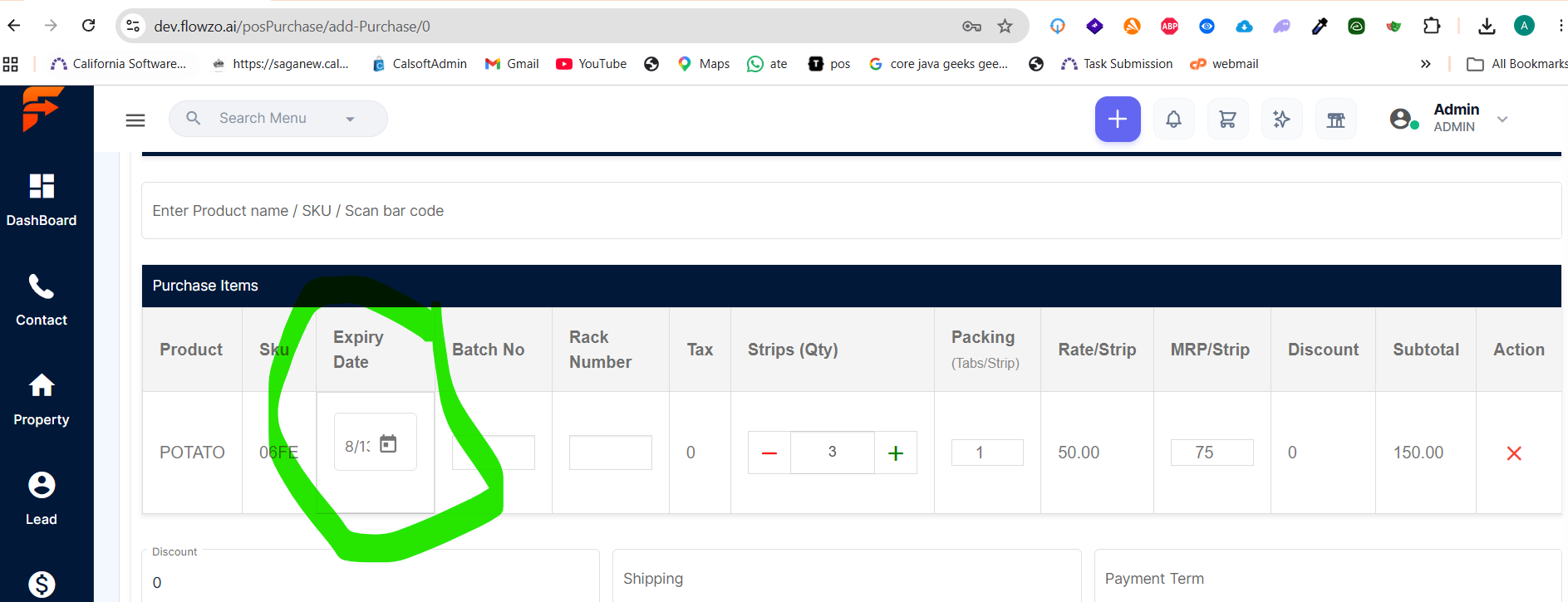
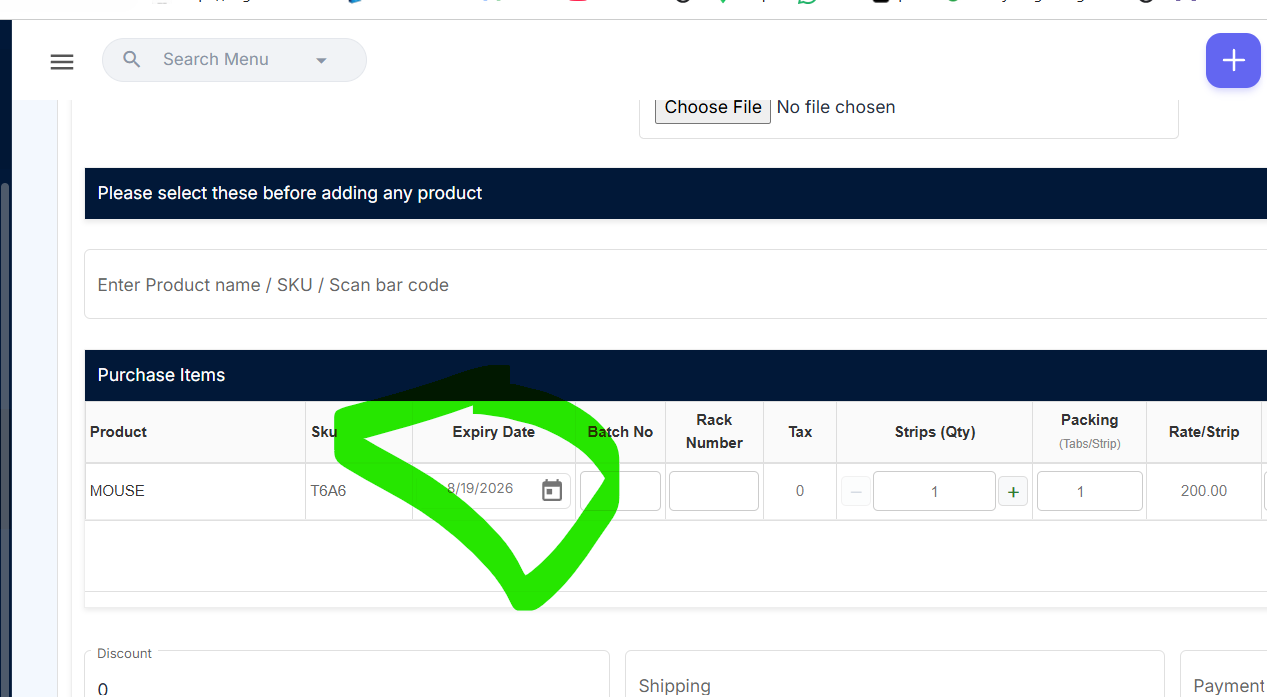
After selecting an Expiry Date in the Purchase module, the displayed date is partially hidden/truncated. Users cannot view the complete expiry date due to a UI display issue.
Steps to Reproduce:
Login to the application.
Navigate to Purchase → Add Purchase.
Add a product.
Select an Expiry Date.
Observe the displayed expiry date field.
The selected Expiry Date is partially hidden, making it difficult to view the complete date.
credentials:
ajitherp@yopmail.com
Welcome@123
Files
Actions