Actions
Bug #3382
open
DP
SR
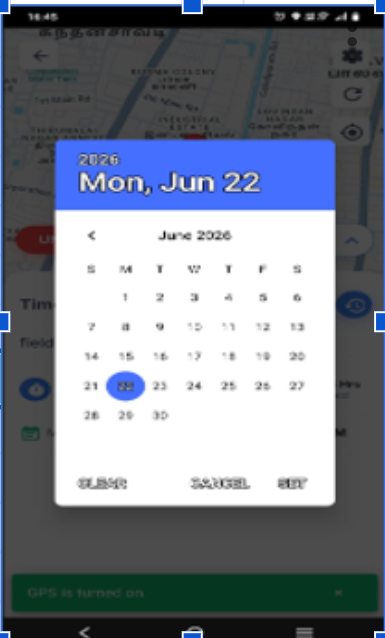
Field Sales Tracking – Timeline Non-Available Dates Should Be Hidden/Disabled in Date Picker
Bug #3382:
Field Sales Tracking – Timeline Non-Available Dates Should Be Hidden/Disabled in Date Picker
Start date:
Due date:
% Done:
0%
Estimated time:
Description
- Login to the Flowzo mobile application.
-
- Navigate to Field Sales Tracking → Timeline.
-
- Open the date picker.
-
- Observe the list of available dates.
-
- Select a date that does not contain any timeline data.
filedsales1@gmail.com
Password:Welcome@123
Files
SR Updated by satheesh r about 1 month ago
- Assignee changed from satheesh r to balaji E
BE Updated by balaji E about 1 month ago
- Assignee changed from balaji E to satheesh r
SR Updated by satheesh r about 1 month ago
- Status changed from New to Resolved
DP Updated by deepakraj P about 1 month ago
- Status changed from Resolved to In Progress
DP Updated by deepakraj P about 1 month ago
- Status changed from In Progress to Re-open
Actions