Bug #4670
openUser State Wise Report – Filter Not Working and Downloaded Excel Contains Misaligned Columns and Mismatched Data
0%
Description
Short Description:
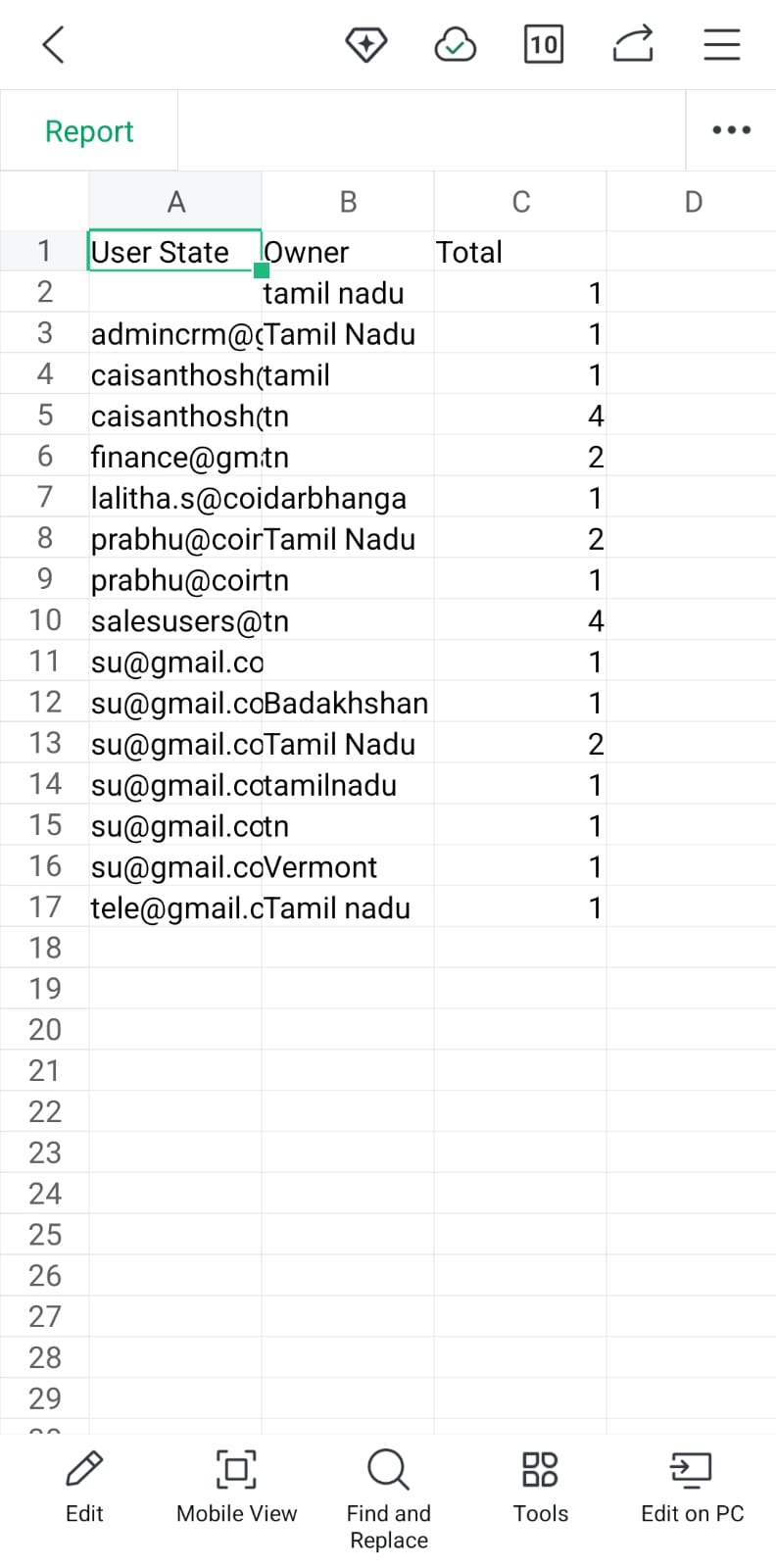
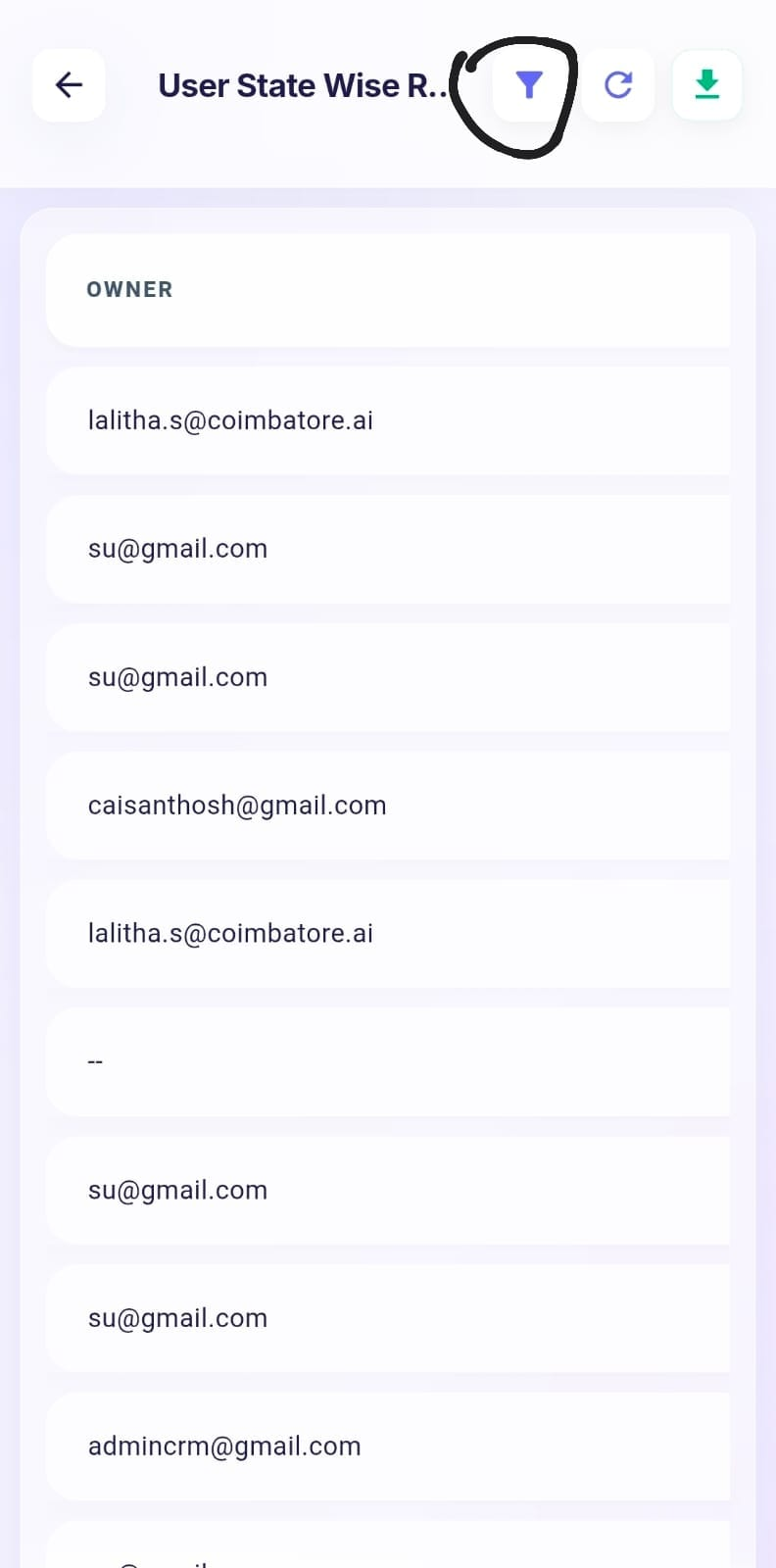
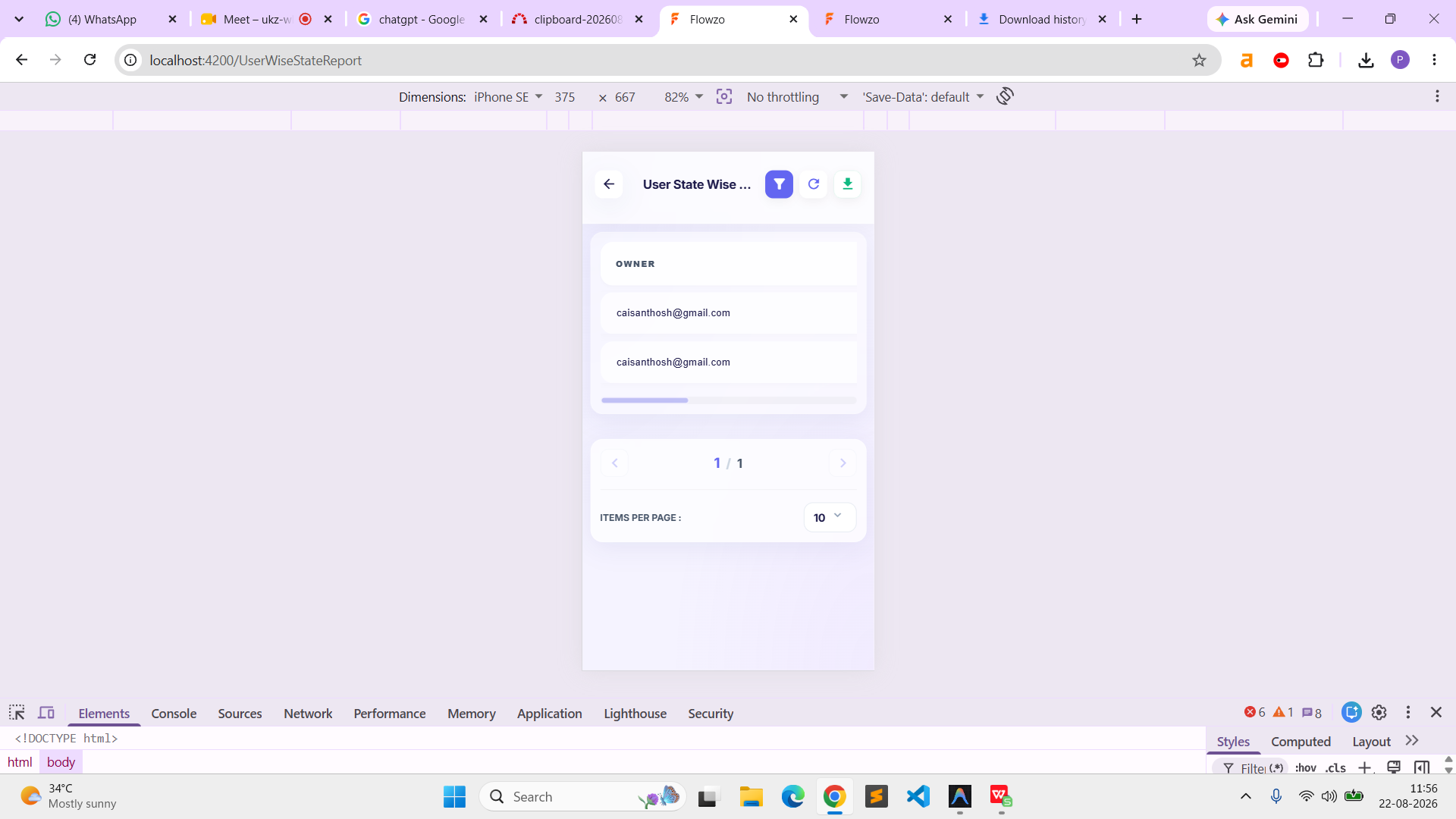
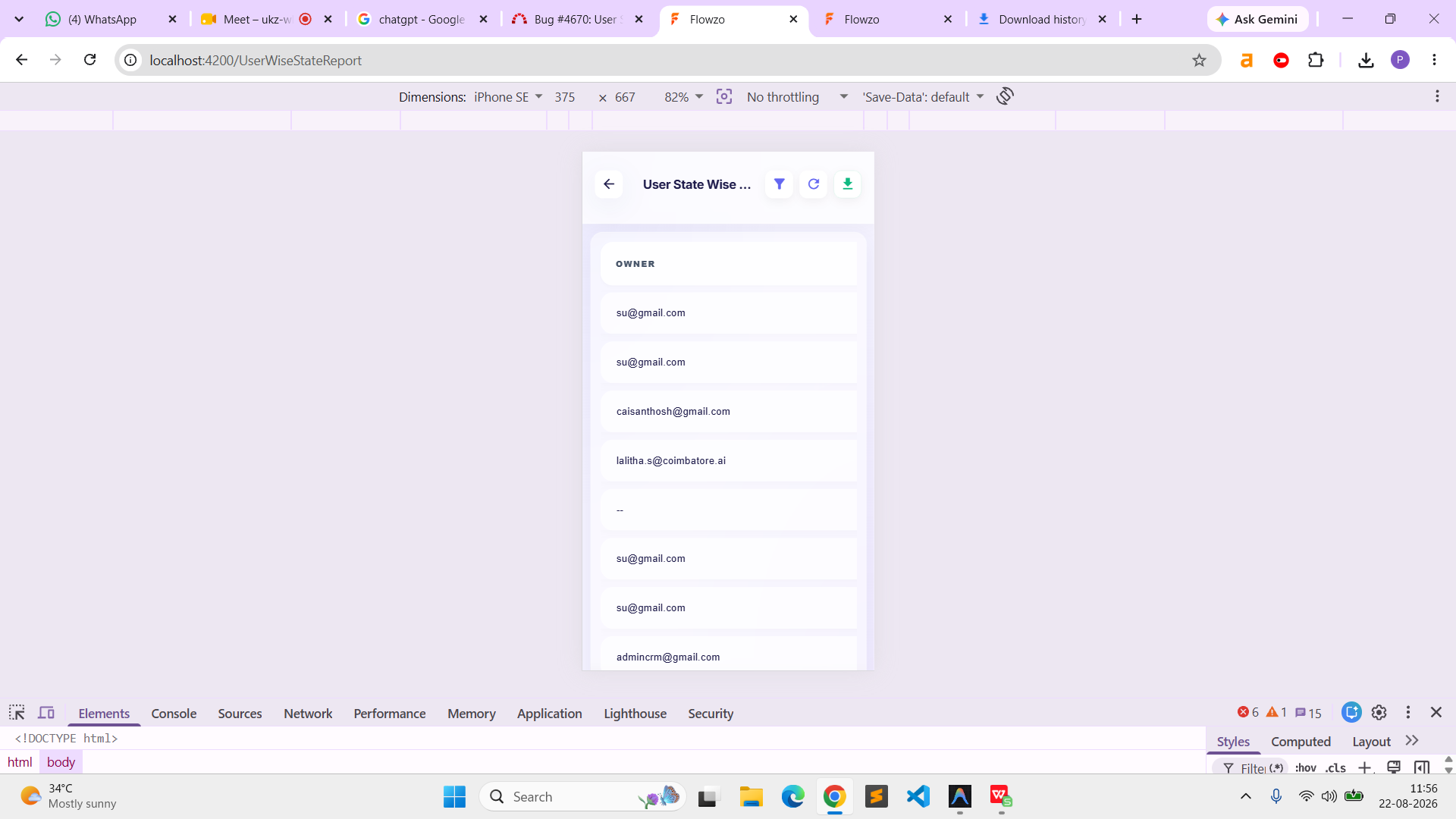
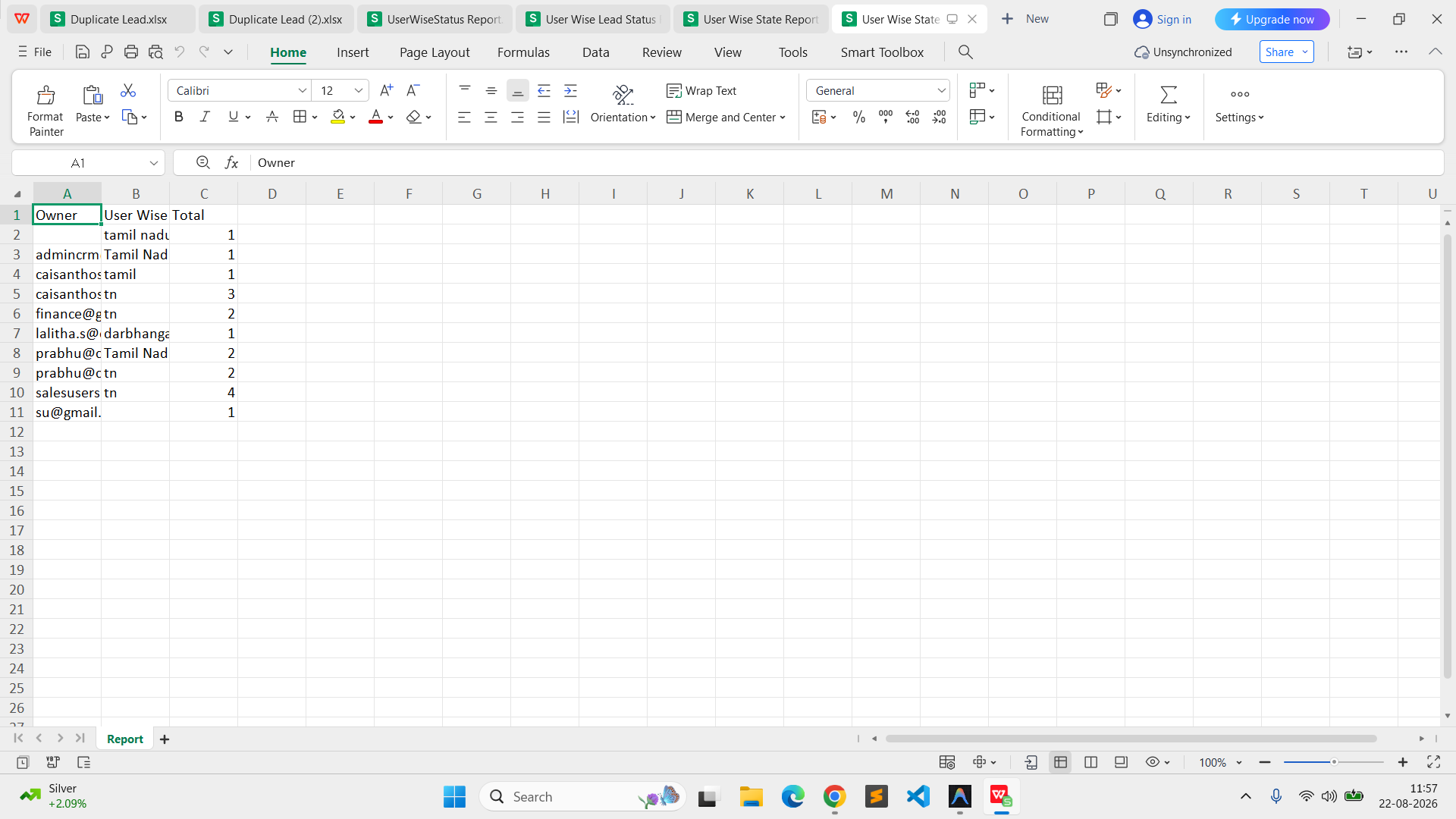
In Reports → User State Wise, the filter option is not functioning as expected. Additionally, the downloaded Excel report contains misaligned columns and data that does not match the report displayed in the application.
Steps to Reproduce:
Login to the application using the admin credentials.
Navigate to Reports → User State Wise.
Select a value in the available filter option.
Apply the filter.
Verify the report data displayed in the application.
Download the report as an Excel file.
Open the downloaded Excel file.
Compare the Excel columns and data with the filtered report displayed in the application.
Actual Result:
The filter option is not working as expected. The downloaded Excel file also contains misaligned columns and mismatched data compared with the report displayed in the application.
Expected Result:
The selected filter should work correctly and display only the corresponding data. The downloaded Excel file should maintain proper column alignment and contain data matching the filtered report displayed in the application.
Admin User:admin@flowzo.ai
Password:Admin@123
Company Name:cai
Files
PP Updated by parkavan p 1 day ago
- File clipboard-202608221156-kqoiz.png clipboard-202608221156-kqoiz.png added
- File clipboard-202608221156-qw6q9.png clipboard-202608221156-qw6q9.png added
- File clipboard-202608221157-dgmal.png clipboard-202608221157-dgmal.png added
- Status changed from New to Resolved