Actions
Bug #4571
open
DP
DP
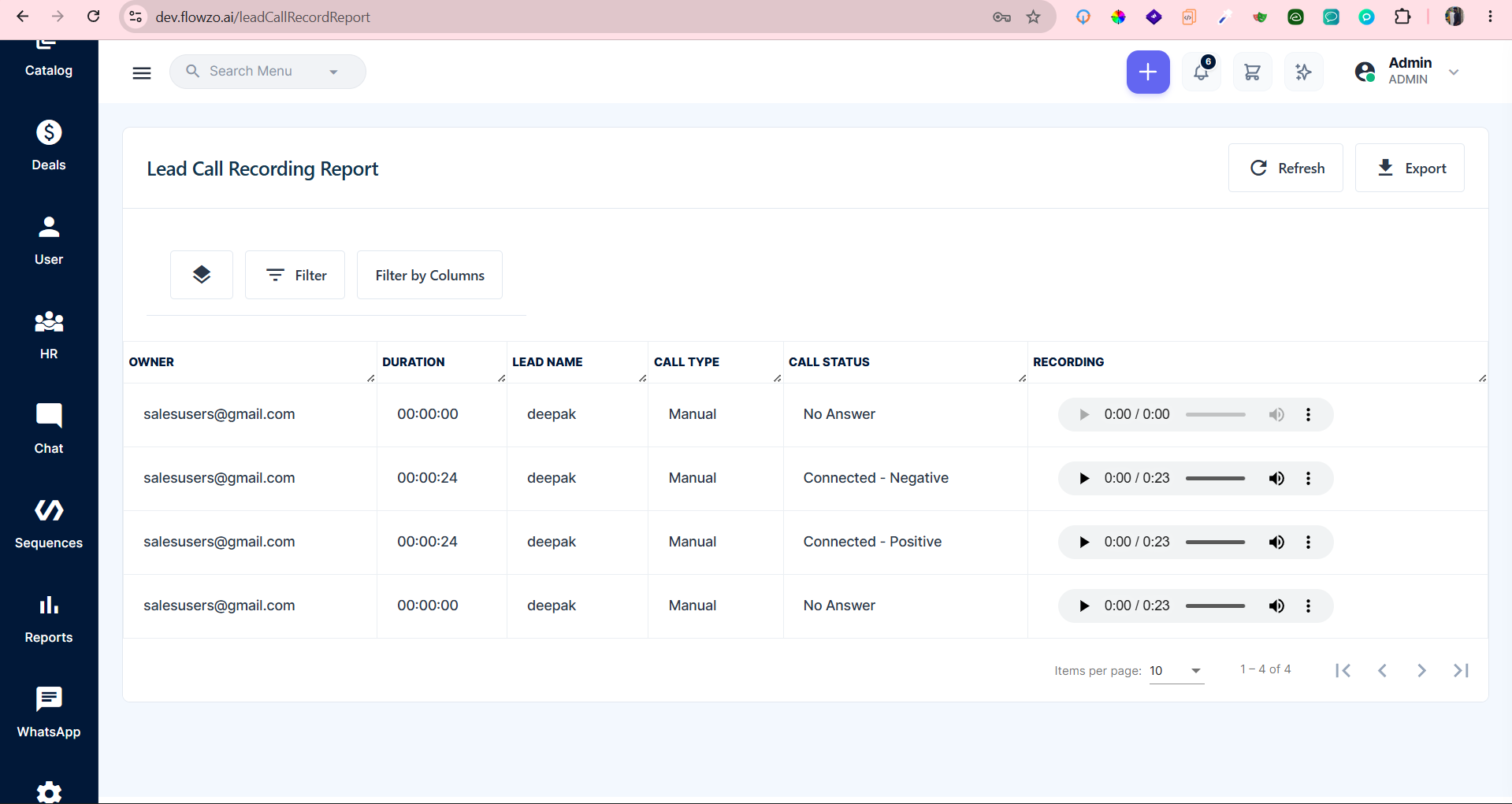
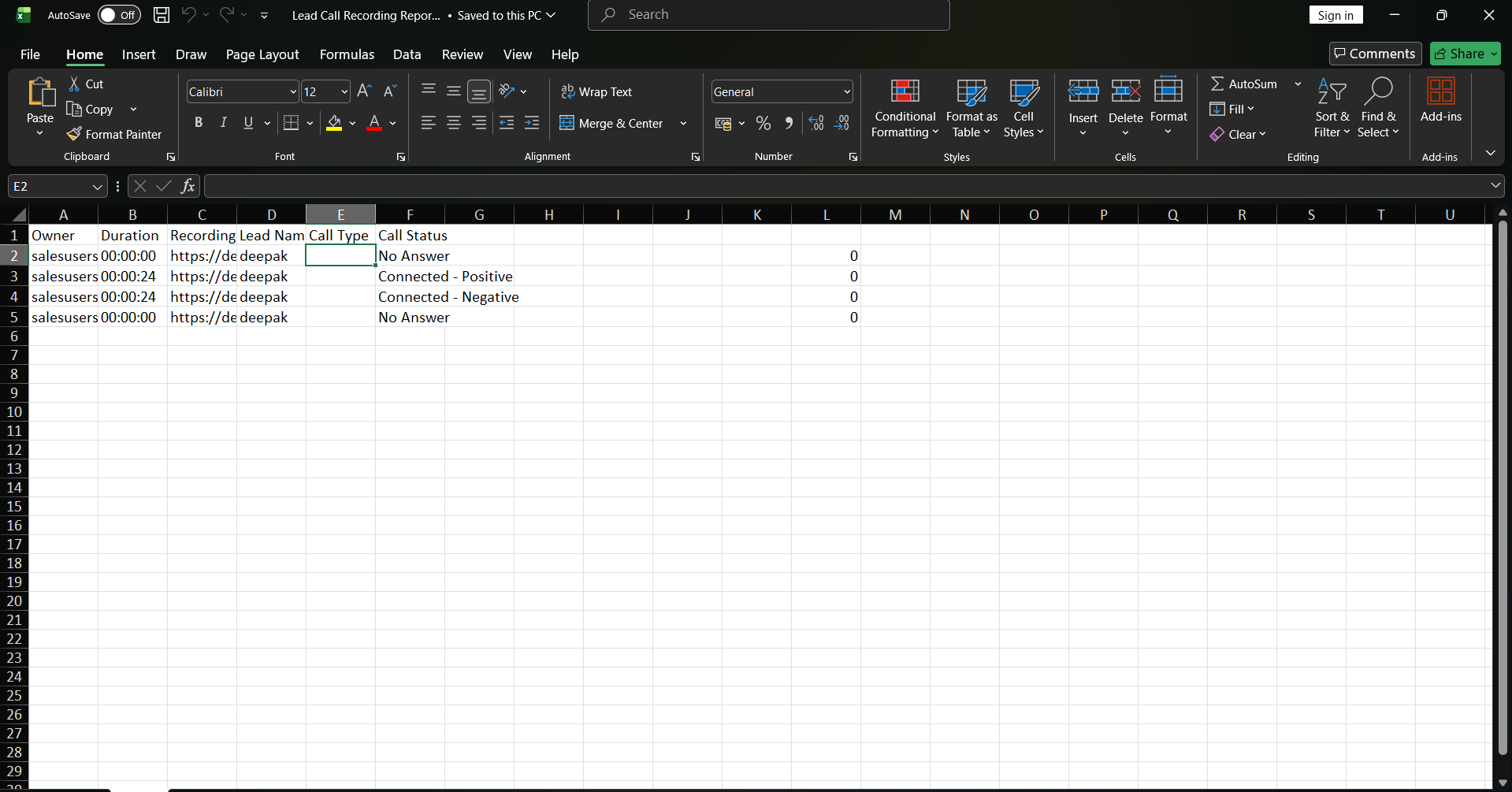
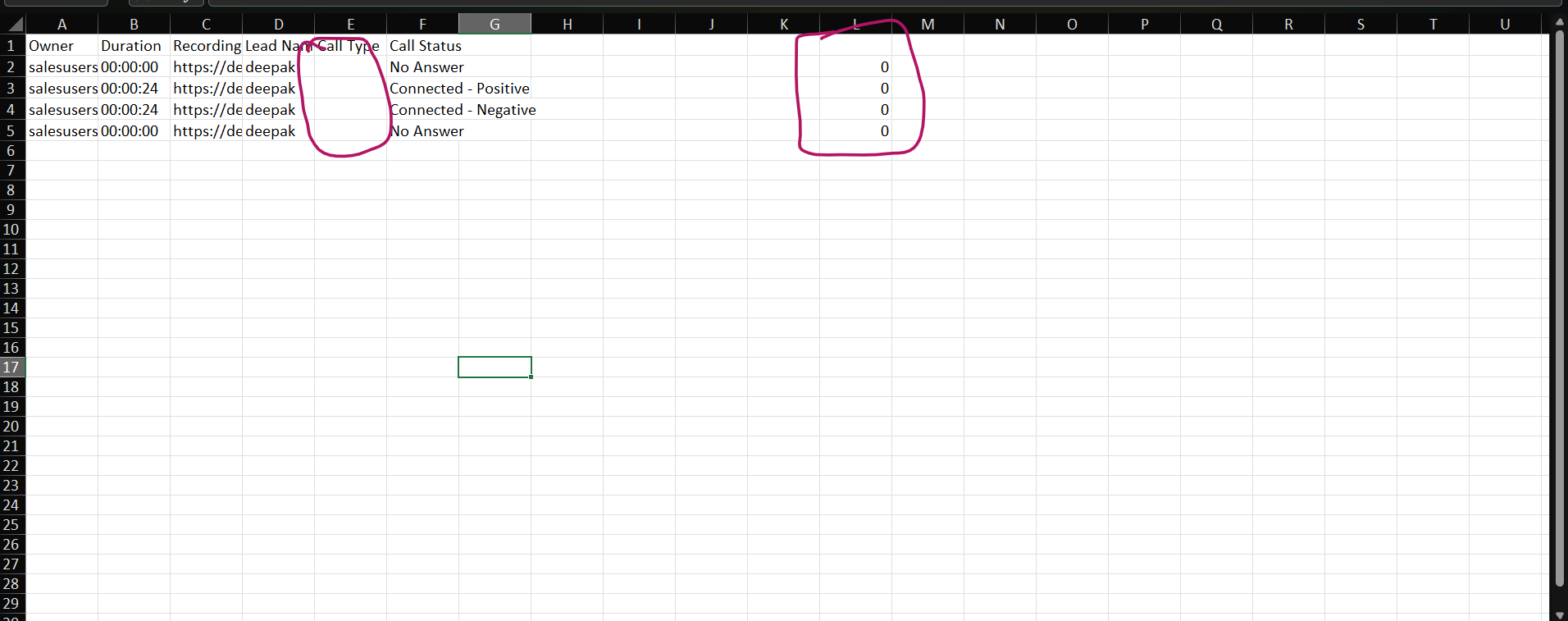
Website ,Lead Call Recording Report ,Call Type is displayed on the website but not reflected correctly in the downloaded Excel, and unwanted numbers are displayed[By Binu Prabu]
Bug #4571:
Website ,Lead Call Recording Report ,Call Type is displayed on the website but not reflected correctly in the downloaded Excel, and unwanted numbers are displayed[By Binu Prabu]
Start date:
Due date:
% Done:
0%
Estimated time:
Description
Preconditions
Lead Call Recording Report should contain call records with Call Type details
Step to procedure:
- Login to the application.
- Navigate to Lead Call Recording Report.
- Verify the Call Type displayed for the call records on the website.
- Export/Download the report as Excel.
- Open the downloaded Excel file.
- Compare the Call Type and other call-related data with the website report.
- Verify the values displayed in the Excel file.
user Crediential:
admin@flowzo.ai
Admin@123
cai
Expected:The downloaded Excel should display the same Call Type and relevant call details shown on the website. No unwanted or incorrect numbers should be displayed.
Actual:Call Type is displayed on the website but is missing/not displayed correctly in the downloaded Excel. Unwanted numbers are also displayed in the Excel report.
Files
DP Updated by deepakraj P 9 days ago
- Subject changed from Website ,Lead Call Recording Report ,Call Type is displayed on the website but not reflected correctly in the downloaded Excel, and unwanted numbers are displayed[By Bino] to Website ,Lead Call Recording Report ,Call Type is displayed on the website but not reflected correctly in the downloaded Excel, and unwanted numbers are displayed[By Binu Prabu]
Actions