Actions
Bug #4427
open
AK
SD
Sale can be saved with zero quantity
Bug #4427:
Sale can be saved with zero quantity
Start date:
Due date:
% Done:
0%
Estimated time:
Description
Description:
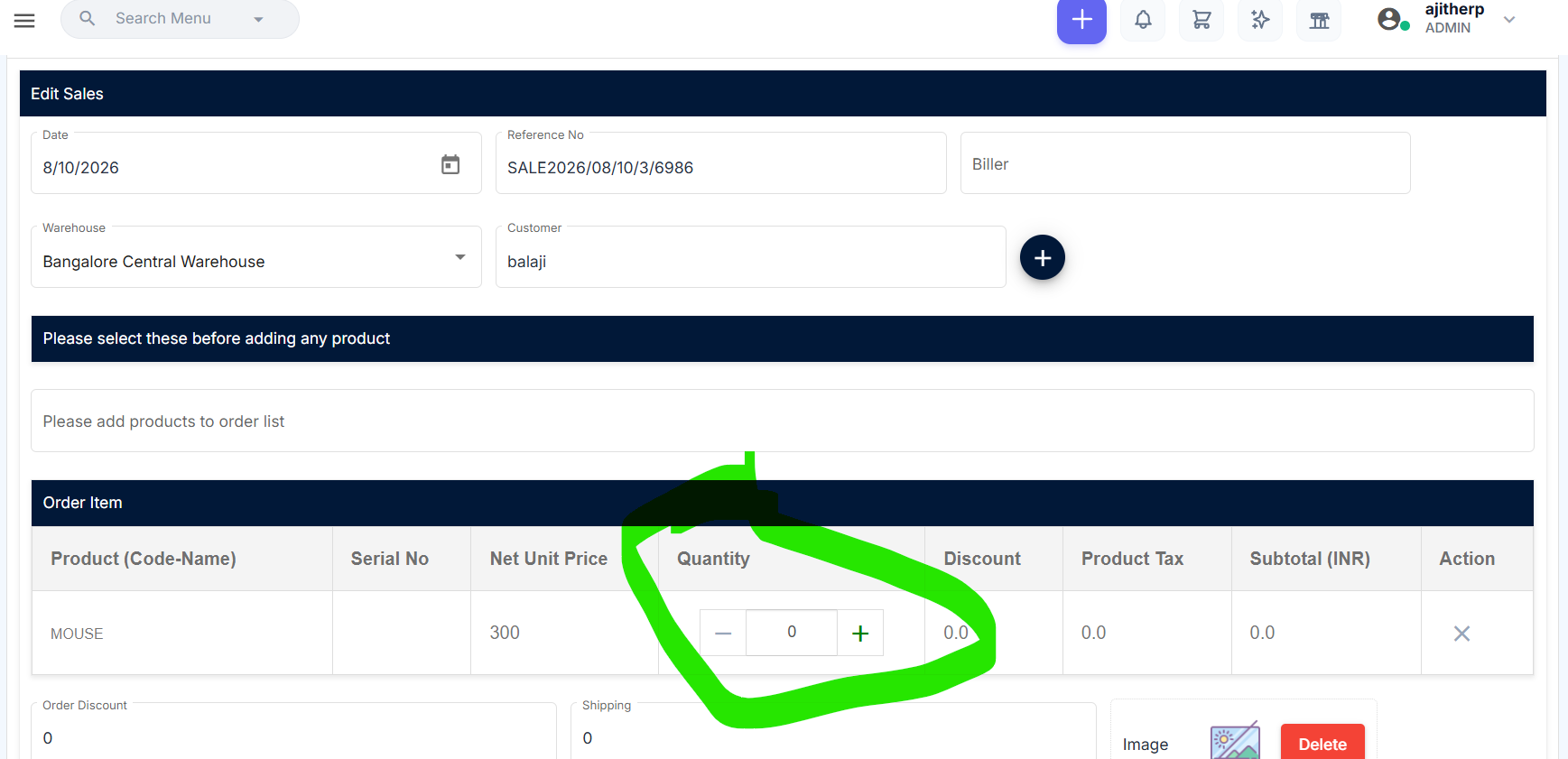
In the Add Sales page, the system allows the user to enter 0 as the product quantity and successfully submit the sale. Zero quantity should not be accepted for a sale item.
Steps to Reproduce:
Navigate to Sales → Add Sales.
Select the required warehouse and customer.
Add a product.
Enter 0 in the Quantity field.
Click Submit.
The sale is allowed to be saved with 0 quantity.
Files
DD Updated by dharani dharani about 19 hours ago
- Status changed from New to Resolved
Actions