Bug #3868
closedExcel Import Allows Empty Data – Leads Created with Blank Fields
Description
Module
Lead Management
Import Lead (Excel Upload)
Preconditions
User logged in
Excel import feature available
Steps to Reproduce
Prepare an Excel file
Leave mandatory fields empty (e.g., Name, Phone Number)
Upload the Excel file
Complete import process
Actual Result
Excel file uploads successfully
Leads are created with empty/blank data
Lead records appear without Name, Phone Number, etc.
Expected Result
System should validate mandatory fields before upload
Upload should be blocked with proper error message
(e.g., "Name and Phone Number are required")
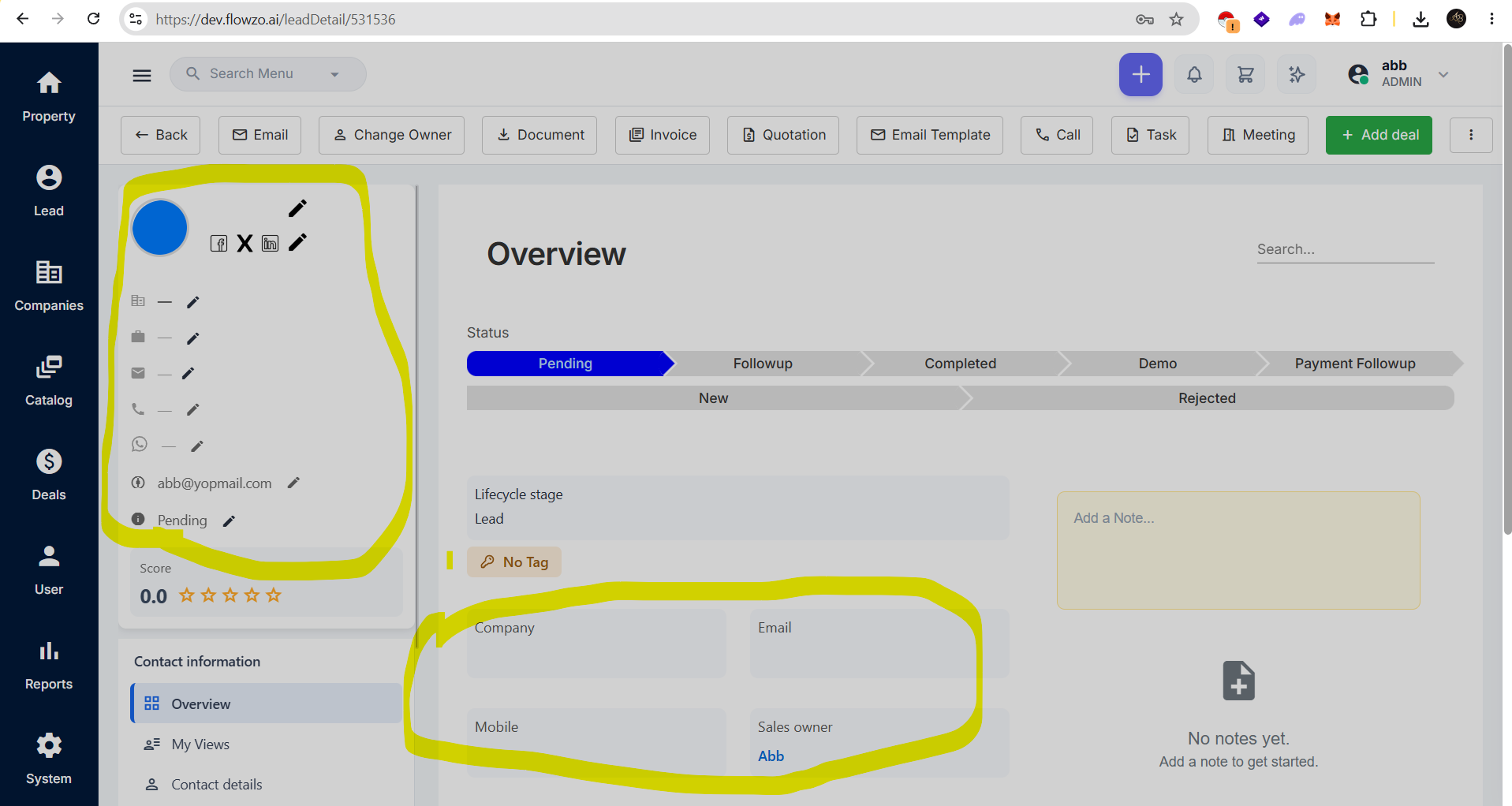

Files
AB Updated by ashokbalaji B 26 days ago
Username : abb@yopmail.com
password: Welcome@123
AB Updated by ashokbalaji B 25 days ago
- Status changed from Resolved to Closed
Okay, to clarify,, regarding this issue, the developer team mentioned that for Excel uploads, even if at least one field is filled, it will be accepted.
For example, even if name, email ID, and phone number are left blank, if any one field like status (e.g., Pending or Follow-up) is added, the Excel file gets accepted.
So, based on this, I am closing this issue.